
RUN-CHICKEN
RUN-TIGER LLCHouse & Home
4.3116.00 Reviews
- Version
- 4.0.7
- Installs
- 10.00K
- Age Rating
- Everyone
Screenshots
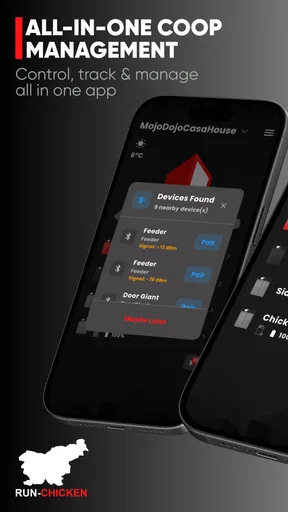
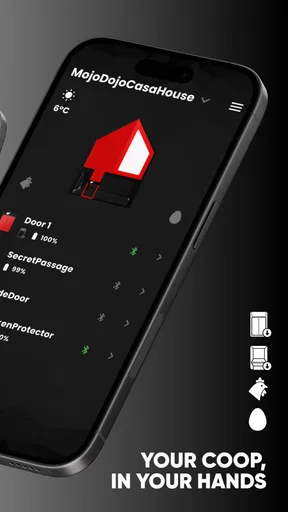
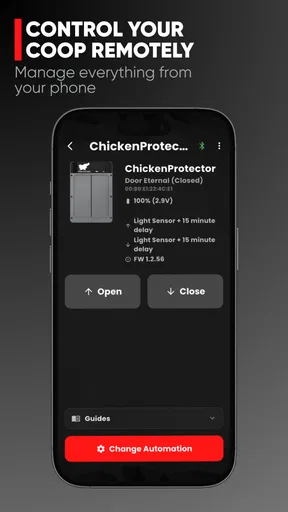
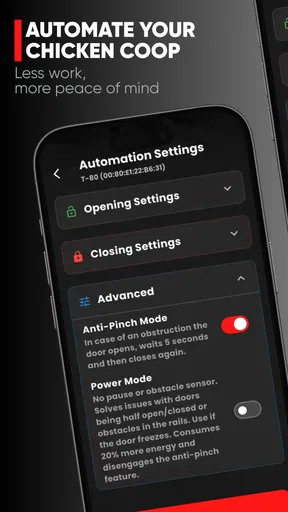
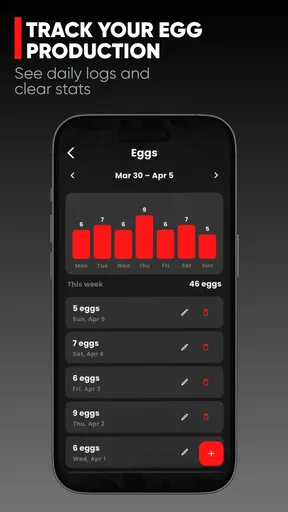
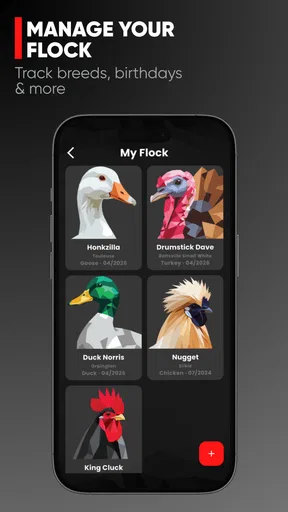
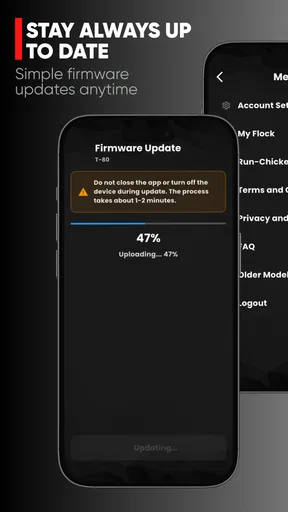
Our Review of RUN-CHICKEN
 Analysis by Appyee
Keeping a chicken coop door on schedule sounds simple until weather, daylight, travel, and an early workday all get involved. RUN-CHICKEN is a free House & Home app from RUN-TIGER LLC designed to give owners more direct control over a compatible RUN-CHICKEN automatic door. I approached it as a first-time owner would: install the app, understand what it is actually for, connect it to the door, and see whether it makes daily care easier rather than adding another layer of fiddling.
My overall impression is that this is a focused companion rather than a general smart-home controller. Its value depends heavily on already using the matching RUN-CHICKEN door, but within that setup it offers a more convenient way to manage the door and coordinate it with a phone’s location. The app is free to download, rated for Everyone, and has reached over ten thousand installs. Its average rating is 4.3 from around five hundred ratings, which suggests a generally positive experience while also leaving room for the practical limitations I noticed.
What to expect before connecting the coop door
The most important expectation to set is that this is not an all-purpose poultry-management app. It is not a feed planner, flock diary, health tracker, or weather dashboard. The useful part is narrower and more practical: it helps you control and organize a RUN-CHICKEN door from a mobile device, including location-aware behavior where that fits your routine.
That narrow purpose is a strength for someone who wants fewer manual trips to the coop. If your door is already installed and you mainly need a way to adjust its operation, check its behavior, or coordinate it with your movements, the app has a clear reason to exist. If you are looking for a complete smart-farm system, though, you may find the experience too specialized.
I would also treat the phone as a control layer, not as a substitute for understanding the physical door. An automatic coop door still has a mechanical side: the opening must be clear, the door must move correctly, and the chickens’ routine must be observed. An app can make control more convenient, but it cannot remove the need to check that the installation works safely in the real coop.
The current version is 4.0.7, and the app supports Android 7.0 or later. That makes it accessible on many older Android phones, which is useful if you prefer to keep an inexpensive device near the house or use an older phone for household controls. The lower system requirement does not mean every phone will feel identical, however. A newer device may handle connection prompts and background behavior more smoothly than an aging handset with aggressive battery saving.
There are in-app purchases ranging from $3.99 to $39.99 per item. That detail matters before you build your expectations around “free.” You can start without paying to download the app, but some optional capabilities or upgrades may involve purchases. I would first connect the door and confirm that the basic workflow suits you before spending money on anything additional.
Who gets the most value from it
This app makes the most sense for a backyard keeper who already owns a compatible RUN-CHICKEN door and wants practical control without walking to the coop every time. It is especially helpful when the coop is at the far end of a property, when the owner leaves early, or when the door’s schedule needs occasional adjustment rather than constant manual intervention.
It can also suit households where more than one person helps with the chickens. A phone-based control option is easier to hand over than a single physical control point, although I would still agree on who is responsible for checking the flock at night. Convenience can otherwise create uncertainty: one person may assume the door has been handled while another assumes the opposite.
I would skip it if you do not have a RUN-CHICKEN door, if you want to control unrelated smart-home equipment, or if you prefer a completely manual coop routine. The app is not likely to justify itself for a simple hinged door that you already open and close reliably. It is also not the right answer for someone who expects the phone to solve every issue involving predators, flock behavior, weather, or mechanical obstruction.
First setup: getting from installation to a usable connection
For a smoother first attempt, I would begin beside the coop rather than from another room. Have the door powered and physically ready, keep the phone unlocked, and make sure you know which door you are trying to configure if there is more than one device around the property. This sounds obvious, but it prevents the most common early mistake: trying to diagnose a connection problem while standing too far away to tell whether the hardware is responding.
After installing the app, open it with the door nearby and follow its connection flow. The exact screens may change between releases, so I would avoid relying on an old screenshot or a guide written for a previous version. Look for the device-discovery or pairing step, then give the app time to identify the compatible door before repeatedly tapping buttons. Repeated attempts can make it harder to tell whether the first request is still processing.
One useful habit is to write down the door’s intended routine before changing anything. Decide when you normally want it open, when you want it closed, and what should happen on days when your schedule changes. This gives you a baseline for testing. Without that baseline, it is easy to mistake an unfamiliar setting for a malfunction.
GPS synchronization deserves particular attention. A location-based control option is only helpful when the app understands the relevant phone location and when your daily movement actually matches the behavior you want. Before depending on it, test it during a normal arrival or departure and observe the door rather than assuming that a location event equals an immediate physical action.
That distinction is one of the app’s less obvious trade-offs. GPS is convenient for routines tied to coming home or leaving, but it is not the same as a precise timer and should not be treated as a perfect replacement for one. Location can be interpreted differently depending on where you are standing, how the phone handles background activity, and whether the event occurs at the edge of your chosen area. For a coop, a predictable schedule may be better for the core routine, with location synchronization used only when it genuinely matches your habits.
On Android, battery management can also affect apps that need to notice location changes or maintain communication in the background. I would check the app’s normal operation over several days before blaming the door. If behavior becomes inconsistent, review the phone’s battery-saving settings and location access for the app. I am not suggesting that every phone will require changes, but this is a sensible troubleshooting step when a location-based workflow does not behave as expected.
Make the first test deliberately small
Do not begin by leaving the coop unattended for a full day. Start with a short, visible test while you are close enough to intervene. Use the app to request the door’s intended action, watch the physical movement, and confirm that the result matches what the interface indicates. This separates app control from assumptions about the installation.
My preferred first-test sequence would be: connect the door, perform one controlled open or close action, watch the entire movement, and then repeat the opposite action. After that, check the routine you intend to use during the next normal chicken-care period. This approach reveals whether the app is communicating with the hardware and whether the hardware itself completes the movement cleanly.
That physical observation is more important than a reassuring button state. A phone can show that a command was sent, but the owner still needs to see what happened at the coop. A partially blocked track, an animal in the wrong place, or a door that stops before fully closing is a real-world issue, not something a clean-looking app screen can rule out.
The first meaningful success: one dependable daily routine
The first success I would aim for is not an advanced configuration. It is one ordinary cycle that works: the door opens when the flock needs access, closes when they should be secured, and can be checked or adjusted from the phone when plans change. Once that cycle is reliable, the app starts to feel like a useful household tool instead of another setup project.
A realistic example is a weekday morning. You leave for work before you want to walk outside, but the chickens need access to the run after daylight. Rather than opening the door in the dark and disturbing the coop, you can use the configured routine and verify the result from nearby before leaving. If you are home later than usual, the app gives you a way to manage the door without treating the original routine as permanent.
Another scenario is a sudden change in plans. You may normally return before evening but end up delayed. The useful question is not whether the app can replace your attention; it is whether it lets you make a deliberate adjustment without rushing home solely to operate the door. That is where mobile control has a practical advantage over a basic manual door.
For location synchronization, I would choose a single, easy-to-understand use case first. For example, test whether your arrival or departure from the property should trigger the behavior you want. Avoid combining several changes at once. If you alter the schedule, location behavior, and physical installation together, you will not know which change produced an unexpected result.
A second non-obvious tip is to keep a simple paper or phone note during the first few days. Record the intended action, what the app showed, and what the door actually did. This is not busywork: it helps identify whether the issue is timing, phone location, connectivity, or the door mechanism. It also gives you a clearer basis for deciding whether an optional in-app purchase is worthwhile.
I would not make the app the only confirmation method during the first week. Look at the coop, listen for the door’s movement, and check the flock’s behavior. Chickens do not always follow the schedule you designed for them, and an automatic door can be operating correctly while a bird remains outside or inside. The app can support the routine, but the keeper remains responsible for noticing exceptions.
How it compares with ordinary alternatives
Compared with opening a manual door, RUN-CHICKEN offers convenience and remote adjustment, especially when the coop is inconveniently located. The trade-off is that you introduce a phone, a connection process, and another point of failure. A manual door is easier to understand at a glance and does not depend on app interaction, but it also depends entirely on someone remembering to operate it.
Compared with a basic timer, the app’s location synchronization is more flexible for owners whose schedule changes. A timer is often easier to reason about because its trigger is simply time. Location-based behavior can better reflect whether someone is arriving or leaving, but it needs more careful testing and may be less suitable as the sole basis for a safety-critical evening routine.
Compared with a broad smart-home platform, this app is more focused on the RUN-CHICKEN door. That focus may be exactly what a chicken keeper wants, but it will not necessarily provide the wider automation ecosystem that a general smart-home user expects. I would choose the dedicated app when the door is the main concern and choose a broader system only when integrating many different household devices is more important than direct specialization.
Common confusion and practical ways to avoid it
The first likely confusion is thinking that installing the app automatically means the door is ready. The app is a companion for the compatible hardware, so the meaningful setup happens only after the door is powered, within reach, and recognized. If you open the app away from the coop and see no useful control, move closer before assuming something is broken.
The second is treating GPS synchronization as a universal schedule. Location can be valuable, but it is designed around where the phone is, not around the chickens’ exact needs. A person may leave the property while the flock is still active, or arrive home after the moment the door should have closed. I would use location as a carefully tested convenience and keep the main routine aligned with the animals’ actual behavior.
The third is confusing a successful command with a successful door cycle. Always distinguish between sending an instruction and seeing the door finish moving. If the app indicates an action but the door does not complete it, inspect the physical path and the installation before repeatedly sending commands.
Another point worth remembering is shared responsibility. If several people have access to the app, agree on a simple household rule: whoever changes the routine communicates that change, and whoever performs the final evening check confirms the physical door. This prevents two people from making opposite adjustments or assuming that a phone notification replaces a look at the coop.
Purchases can also cause uncertainty. Since the app is free but includes optional items priced from $3.99 to $39.99 each, I would not buy anything during the first minutes of setup. First establish that the basic connection and everyday control are useful for your door. Then decide whether an additional capability solves a real problem in your routine rather than paying for a feature you may rarely use.
If the app behaves inconsistently, troubleshoot in a logical order. Start near the door, check whether the hardware responds physically, confirm that the phone is using the expected location and connection settings, and then repeat one simple action. Change only one variable at a time. This is much more effective than uninstalling immediately or sending many commands in quick succession.
There is also a human limitation that no setting can remove: a chicken may not be where you expect it to be. Before relying on an automatic closing routine, make sure your flock has learned the pattern and that you have a way to check for stragglers. The app is best viewed as a control aid for a known routine, not as proof that every animal is safely accounted for.
The next step: turning a useful control into a dependable habit
Once the first cycle works, I would resist the temptation to keep changing settings. Let the routine run long enough to reveal how it fits real life. Notice whether the opening time suits the flock, whether evenings create exceptions, and whether location synchronization helps or merely adds another thing to monitor. The best configuration is not the most elaborate one; it is the one you can understand and trust.
For owners who travel or work irregular hours, the next step is to build a clear backup plan. Decide who checks the coop if the phone is unavailable, the connection is interrupted, or the door does not complete its movement. This is a more valuable improvement than adding complexity immediately. A dependable manual fallback makes the app’s convenience safer to use.
I would also keep the app updated when practical, particularly because the installed version can affect how the phone communicates with the door. At the same time, update cautiously: after any major change, repeat the small visible test rather than assuming that an existing routine will behave exactly as before. That habit takes little time and protects against unpleasant surprises.
The app’s strongest use case is clear: a compatible RUN-CHICKEN door, a keeper who wants phone-based control, and a routine that benefits from occasional adjustment or location-aware behavior. Its weaknesses are equally clear: it is specialized, it introduces dependence on a mobile workflow, and GPS behavior needs sensible testing rather than blind trust.
After using it as a first-time owner would, I see RUN-CHICKEN as a worthwhile companion for the right hardware, not a must-have download for every chicken keeper. I would recommend it to someone who already owns the compatible door and wants a more convenient way to manage it. I would skip it if my coop routine was already simple and manual, or if I expected a complete smart-home and flock-management platform.
My practical recommendation is to judge it by one question: can it make your real morning or evening routine more dependable without making you less attentive to the coop? If the answer is yes after a careful nearby test, the app earns its place. If it creates uncertainty about whether the physical door actually moved, keep the simpler method until that issue is resolved.
Verdict
Strengths of RUN-CHICKEN
- Simple controls make it easy to start playing immediately.
- Short runs fit well into quick gaming sessions.
- Bright visuals give the game a cheerful, accessible style.
- Increasing difficulty keeps later stages more engaging.
- Lighthearted gameplay is suitable for casual players of all ages.
Limitations of RUN-CHICKEN
- Gameplay may feel repetitive after extended sessions.
- Some players may find the challenge uneven between levels.
- Progress can feel slow without regular play.
- The game may offer limited depth for experienced gamers.
- Ads or in-app purchases may interrupt the overall experience.
Similar Picks in This Category
View All
Universal TV Remote Control
CodeMatics Media Solutions3.9

AlfredCamera Home Security app
Alfred Systems Inc.4.7

Planner 5D: AI Home Design
Planner 5D4.5

Universal Tv Remote-Cast to TV
One Music Player4.1

Zillow: Homes for Sale & Rent
Zillow Group4.8

99acres Buy/Rent/Sell Property
infoedge.com4.3
Frequently Asked Questions
What is RUN-CHICKEN and how is the game played?
RUN-CHICKEN is an arcade-style mobile game centered on guiding a chicken through fast-moving challenges while avoiding obstacles and trying to achieve the highest possible score. The controls are generally designed for quick interaction, making the game easy to understand from the first launch. As you progress, reaction speed and timing become increasingly important, especially when the pace of the action increases.
Is RUN-CHICKEN free to download and play?
RUN-CHICKEN can typically be downloaded for free, although the exact availability of optional purchases, advertisements, or premium features may depend on the version installed and the platform you use. Before downloading, it is worth checking the store listing for information about in-app purchases. Players who prefer uninterrupted sessions should also review whether advertising is included in the free experience.
Does RUN-CHICKEN require an internet connection?
The basic gameplay in RUN-CHICKEN may be suitable for short offline sessions, but some features can require an internet connection. Online access may be needed for advertisements, leaderboard updates, cloud-related functions, account services, or game updates. If offline play is important to you, test the game after disabling mobile data and Wi-Fi, since requirements can vary between releases.
Is RUN-CHICKEN suitable for children and casual players?
RUN-CHICKEN is generally easy for casual players to pick up because its gameplay focuses on simple actions, quick decisions, and short rounds. However, the increasing speed and obstacle patterns can make later stages challenging. Parents should check the app’s age rating, advertising policy, and purchase settings before allowing children to play, particularly if the device is connected to a payment method.
What should I check before installing RUN-CHICKEN on Android or iOS?
Before installing RUN-CHICKEN, check that your phone or tablet meets the required operating-system version and has enough free storage for the download and future updates. It is also sensible to review permissions, privacy information, advertisements, and in-app purchase details on the official store page. Downloading from Google Play or the Apple App Store is the safest way to receive an authentic and updated version.
